AMP, your marketing operations hub
Centralise campaign management, data, media planning, feeds, measurement and reporting in Adsmurai Marketing Platform.
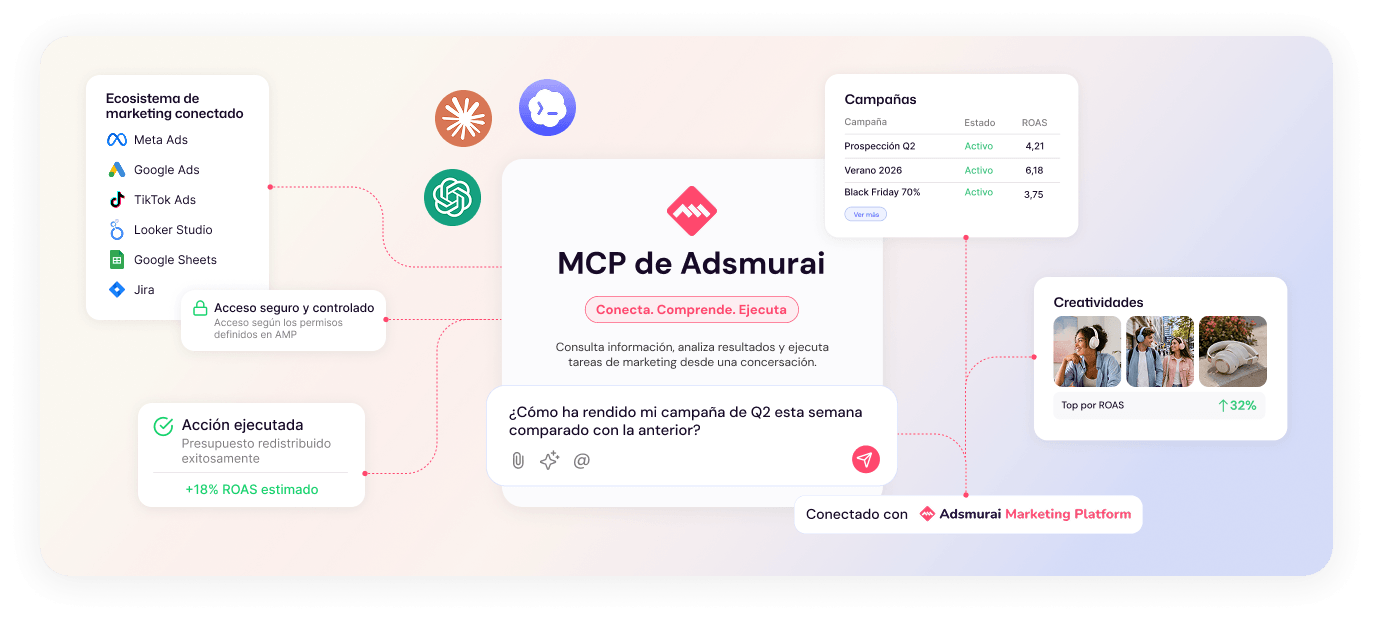
ADSMURAI MCP
Connect AI assistants and agents to Adsmurai Marketing Platform to access data, analyse performance and take action across your campaigns and marketing operations using natural language.
Connect AMP to AI environments compatible with Adsmurai MCP.

WHAT IS MCP?
Adsmurai MCP enables you to connect compatible AI assistants and agents to the tools and capabilities of Adsmurai Marketing Platform.
Access information, analyse performance and take action across your campaigns, budgets, media planning and other marketing operations directly through natural language, while maintaining your existing user permissions.
What does MCP stand for?
Model Context Protocol is an open standard that enables AI applications to connect with external data, tools and systems.
YOUR MARKETING, CONNECTED
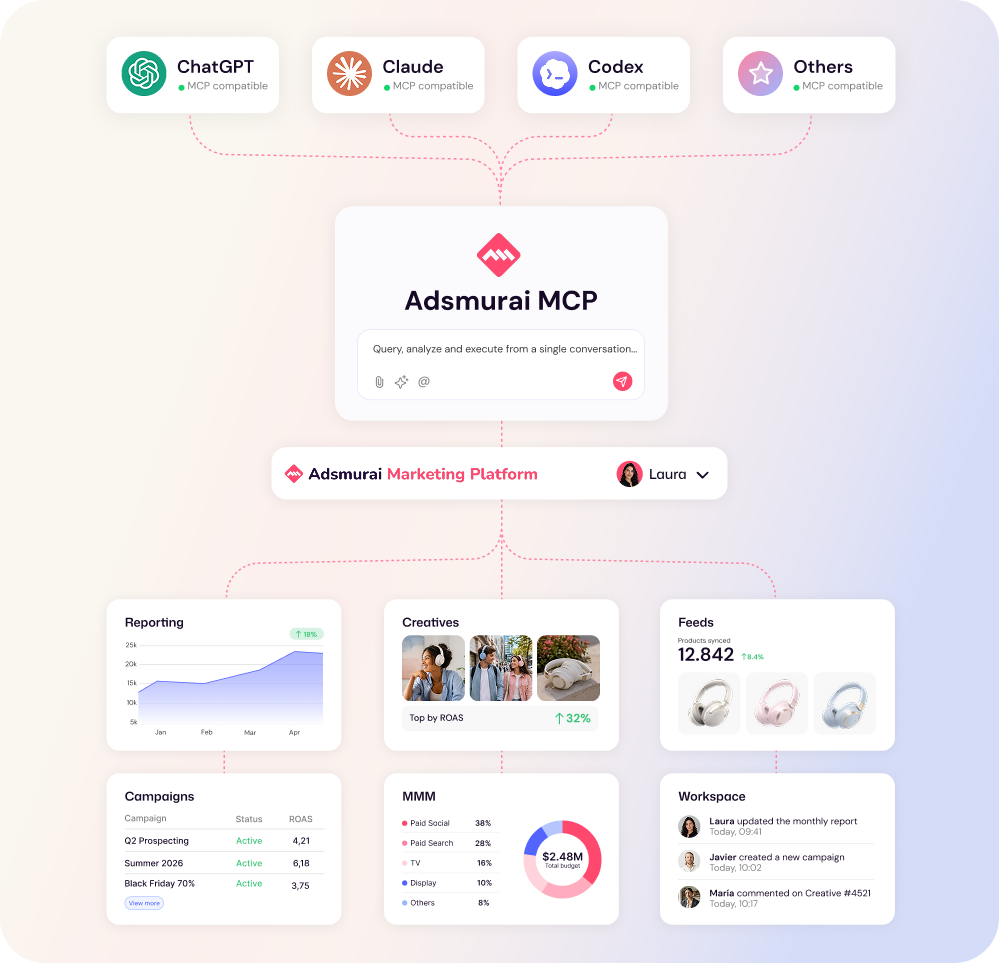
Through Adsmurai Marketing Platform, connect your AI assistant to the marketing capabilities you already use: campaigns, data, measurement, media planning, feeds and reporting. Work with information from different platforms and tools connected to AMP to analyse performance, identify opportunities and take action from a single conversational interface.
 Meta
Meta  Google Ads
  TikTok
  Pinterest
  LinkedIn
  Amazon Ads
  Criteo
  Snapchat Meta Google Ads TikTok Pinterest LinkedIn Amazon Ads Criteo Snapchat
  BigQuery
  Google Analytics
  Tag Manager
  Merchant Center
  Salesforce
  SAP
SAP  HCL Marketing BigQuery Google Analytics Tag Manager Merchant Center Salesforce SAP HCL Marketing
  Shopify
  WooCommerce
  Magento
  VTEX
VTEX  Awin
Awin  Taboola
  Search Ads
  Naver Shopify WooCommerce Magento VTEX Awin Taboola Search Ads Naver