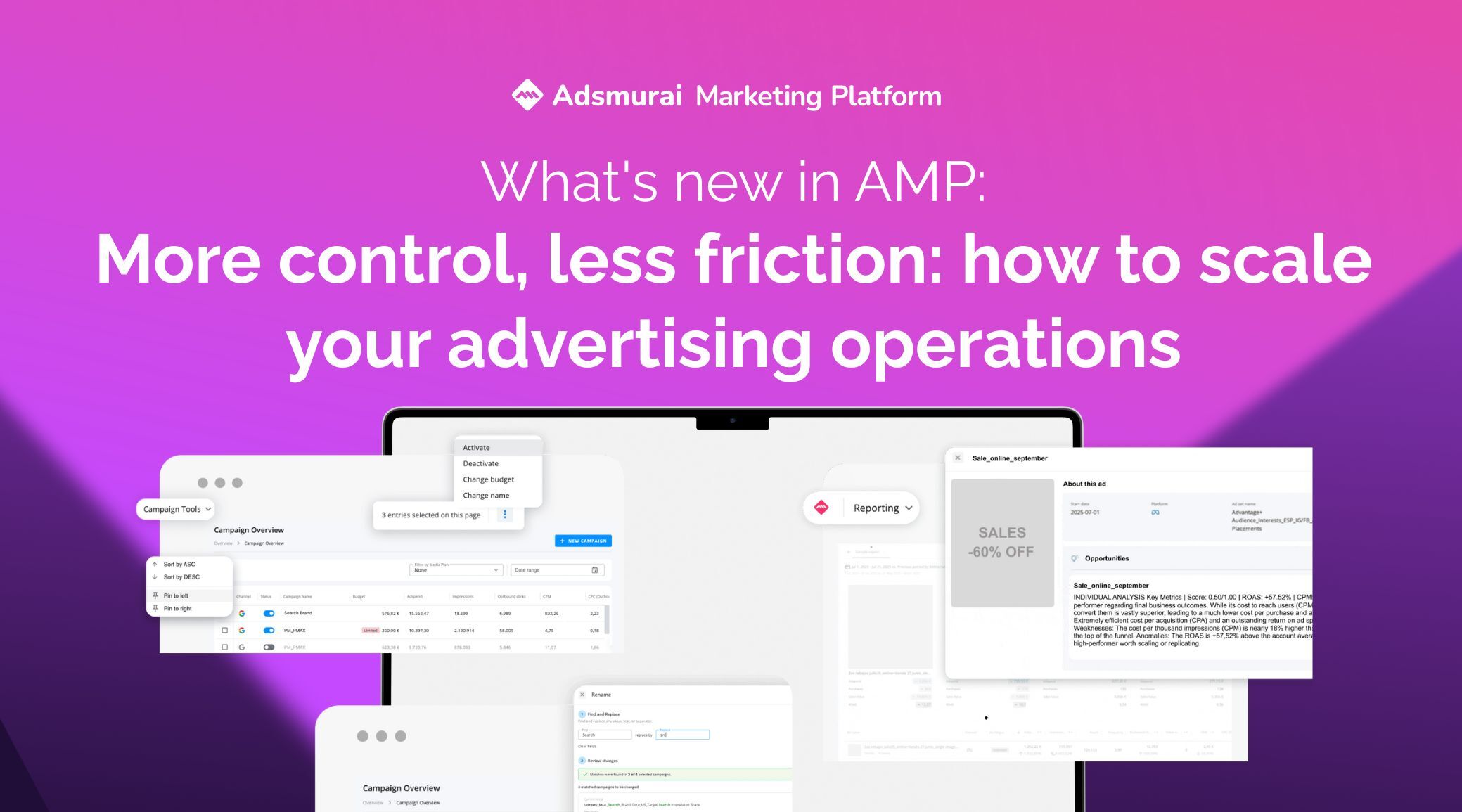
Managing campaigns today is not about doing more, but about doing it better, faster, and with a business-driven mindset.
In an increasingly fragmented advertising ecosystem, jumping between platforms, repeating manual tasks, and analysing ads without context doesn’t just slow teams down: it limits the real impact of marketing.
With this Product Update, we take a key step forward in the evolution of AMP towards a unified platform, designed to centralise management, professionalise campaign governance, and start applying artificial intelligence to creative and performance analysis.
Three new features.
One single goal: simplify complexity so you can make better decisions.
🚀 Campaign Tool: full control of your campaigns, in a single view
Managing campaigns by jumping between platforms, tabs, and dashboards is not efficiency. It’s friction.
That’s why we’ve completely redesigned the daily management experience in AMP to turn scattered operations into a unified, fast, and business-aligned workflow.
What is the new Campaign Tool view?
It’s the new operations hub of AMP.
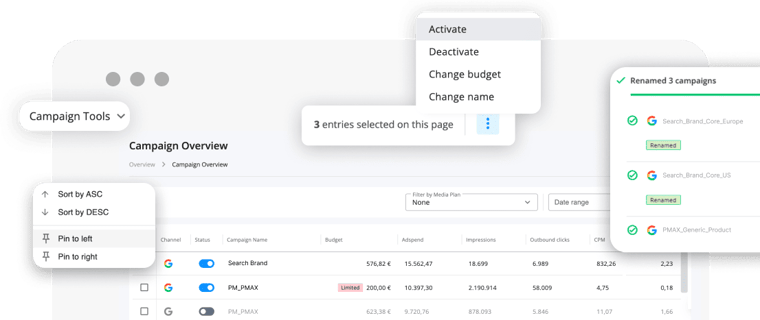
A centralised view, built as an intelligent table, that brings together all active campaigns in your organisation, regardless of platform (Meta, Google, or TikTok).
Everything in one place. No tool switching. No loss of context.
🔍 Key highlights
Unified real-time visibility
Access the full list of campaigns with the key information that really matters:
- Status
- Name
- Budget
- Up-to-date metrics and insights
A clear, actionable view with no noise.
Bulk Actions
Edit campaigns individually or at scale directly from the table:
- Activate / pause campaigns
- Rename campaigns
- Adjust budgets
All changes applied consistently and synchronised across Meta, Google, and TikTok.
Integrated business context
Filter campaigns by Media Plan or view everything by default.
Less isolated tactical management, more decisions connected to your global strategy.
Full view customisation
Thanks to the new table technology, you can:
- Reorder columns
- Move them freely
- Adapt the interface to how your team really works
AMP adapts to your team, not the other way around.
⚠️ Things to keep in mind:
- Deleted campaigns are excluded by default to keep the view clean and focused on active activity.
- This view currently coexists with Ads Reporting, although Campaign Tool will progressively replace it as the main management interface.
Why does it matter?
Fewer operational errors.
More real control.
Decisions driven by business criteria, not unnecessary clicks.
🛠️ Find & Replace: frictionless bulk campaign renaming
Renaming campaigns one by one is not strategy. It’s wasted time.
That’s why we’ve introduced a new bulk action in Campaign Tool that removes repetitive tasks and reduces manual errors, ensuring consistency with your central naming convention.
Fewer clicks. More order. Zero chaos.
🌱 What is Find & Replace?
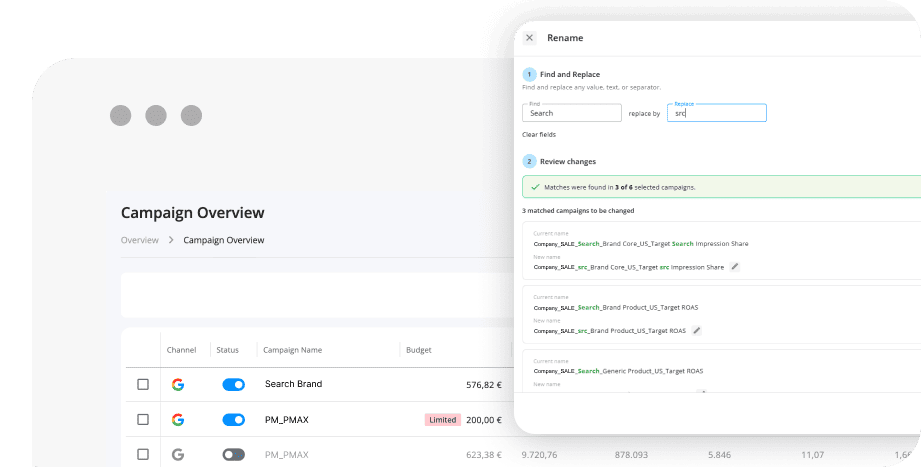
A new bulk renaming flow that allows you to modify multiple campaign names at once using a simple Find and Replace system.
The feature is available directly from the Campaign Tool multiselect, fully integrated into your daily workflow.
Key features:
- Direct access from Campaign Tool
Available when selecting multiple campaigns. No extra steps. No detours.
- Bulk Find and Replace
Define the text to find and its replacement, and apply it across all selected campaigns.
- Individual renaming when needed
Need a custom tweak for a specific campaign? You can also edit names individually within the same flow.
- Before / After preview
Preview how each campaign name will look before applying changes.
Because surprises are better avoided.
- Application with activity log
Once confirmed, changes are applied and recorded in the activity log for full traceability.
⚠️ Scope and considerations
- No name validations (length, duplicates, etc.)
- Only supports basic Find and Replace logic
- No regex, prefixes, or suffixes… for now 😏
🤖 Opportunities in Ads with AI (Alpha): understand what works (and why)
Optimising ads isn’t just about looking at metrics. It’s about interpreting them correctly.
With Opportunities in Ads with AI (Alpha), we take the first step towards automated ad analysis based on real performance data, introducing a Creative Score to help you identify improvement opportunities with more context and less guesswork.
What is Opportunities in Ads with AI?
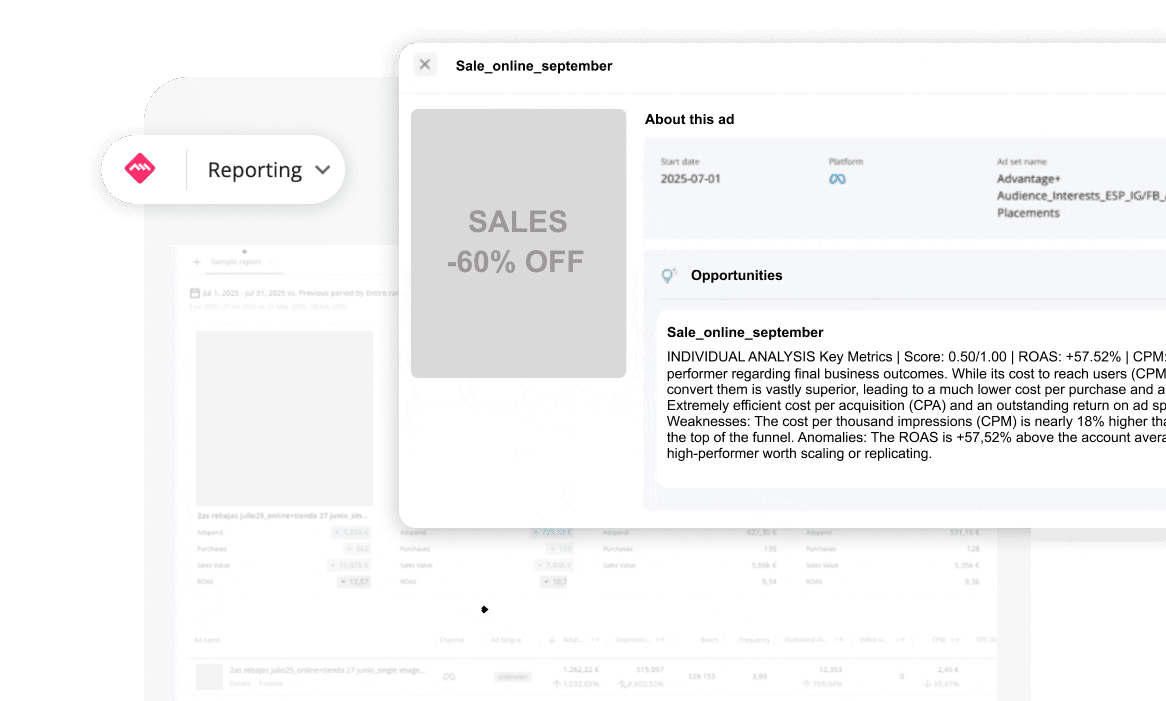
An Alpha-stage feature that uses AI to analyse ads based on performance and generate structured insights directly within AMP.
The result: a new analytical layer that connects creativity, performance, and business context.
🌟 What does it offer?
📊 New analytical opportunities
It allows you to create new pivot tables to:
Compare ad formats
Analyze performance by platform
Understand behavior by country and audience
All from a cross-platform perspective, not isolated by channel.
How is the insight structured?
Each insight generated follows a clear and actionable logic:
- Ad title + key metrics
- Quick identification of the analyzed ad along with its main KPIs.
- Creative Score: A creative score -- Based on the ad objective
- Compared against the totals row of the pivot table to understand its relative performance
- Strengths
- Which metrics are performing well and possible reasons behind that good performance.
- Weaknesses
- Which metrics are below expectations and possible causes.
- Anomalies detected
- Outliers that can be the starting point for deeper analysis.
🤔 Where can I find it?
Currently, this functionality is not available to all organizations.
If you want access:
👉 Request access to the waitlist through your Customer Success Manager.
🪧 Disclaimer
- AI-generated insights may contain errors or inaccurate interpretations.
- Analysis is generated when opening the drawer and is not stored, so it may take a few seconds to load.